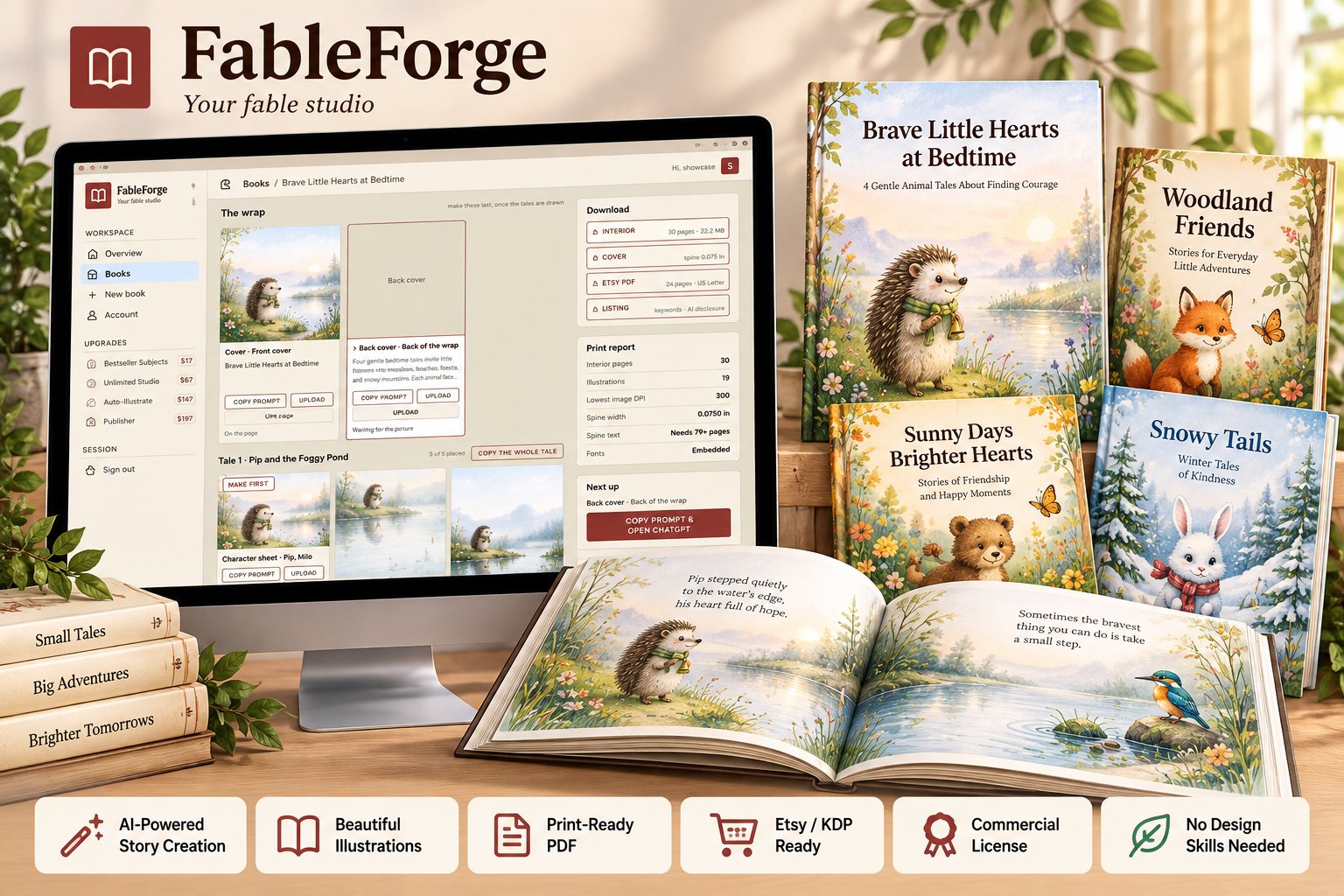
If you have ever tried to make an illustrated children’s book with AI, you already know the moment I am talking about. Page one looks wonderful. A little red fox in a green scarf, standing at the edge of a meadow. You think, this is going to be easy.
Page two, the fox is orange. Page three, the scarf is gone. Page four, the fox has become something closer to a dog. Page five has the words of your story printed across the fox’s face, because the picture filled every inch of the page and left nowhere for the text to go.
And by page six you are doing what almost everyone does at this point.I want to tell you why that happens, why it is not your fault, and what I built to fix it. It is a slightly long letter. Children’s books are a slightly long subject. But if you publish on Amazon KDP or sell printable books on Etsy – or you have wanted to – I think it will be worth your ten minutes.
Here is the uncomfortable truth nobody selling “AI book” shortcuts tells you. The image model inside ChatGPT is perfectly capable of drawing a lovely page. What it cannot do on its own is remember. Every picture you ask for is drawn fresh. It does not know that the hedgehog on page seven has to be the same hedgehog from page two.
It does not know your book is 8.5 inches square. It does not know that KDP needs 300 DPI, or that a paperback needs a bleed, or that the bottom third of the picture has to stay quiet so a child can actually read the sentence printed over it.
So you end up doing all of that by hand. Writing the same long description of the same animal over and over. Guessing at sizes. Dragging pictures around in a design tool at midnight. Working out spine widths with a calculator. Then finding out at upload that the interior was 72 DPI and KDP will not print it. That is not a creative problem. It is a production problem. And production problems are solved with a system, not with more effort.
FableForge does not charge you credits. It does not ask for an API key. It does not run up a bill every time you press a button. The words and the pictures are made in the ChatGPT account you already have – which means the quality is the quality you already see there – and the studio does everything ChatGPT cannot do on its own. Make one book or fifty. There is no counter ticking down.
- Pick the kind of story – a moral fable or a bedtime story – type the lesson, and choose a reading age: 3-5, 6-8 or 9-12.
- Press “Copy the prompt”. Paste it into ChatGPT. Paste the reply back.
Every page gets its own card with its own prompt. - Start with each tale’s character sheet, then make each page with that sheet attached. Each picture is measured, placed with the words in the calm area the prompt reserved, and raised to 300 DPI.
- Press Build, and you get your print files.Locked page prompts. Every page’s prompt repeats the same exact description of the same animal, so you are not retyping – or forgetting – what your hero looks like.
A reserved place for the words. Each prompt asks for a calm area of the picture, and the studio measures where that area actually landed before it sets the text.Reading-age pacing. Words per page are set by the reading age you pick, and pages that come back too long or too short are flagged before you move on.
Five-Minute Bedtime, One Story a Day, Classroom / SEL, Faith & Values, and Gift Treasury. A book preview that shows your pages as they will print, before you press Build. Copy the prompt and open ChatGPT” in one click, with the next picture you need always shown first.
Sell the prompts too. Download every prompt of a book – page prompts, character sheets and the art direction – as one text file, and sell it as a prompt pack.28 free narrator voices with Natural, Young, Cartoon and Bedtime styles – or your own recordings, one file per page.
Character-sheet prompts for every tale, so each page can be drawn with the character’s reference attached.Automatic 300 DPI. Every picture is raised to print resolution before the book is bound. You never touch an upscaler.
Ready-made book shapes – a short Sampler and a full Standard storybook – with the page count, picture count and time shown before you start.Choose how illustrated the book is – rich, balanced or light – which changes how many pictures you have to make….
Source: FableForge
.
FableForge ,FableBookCreator ,Storytelling ,CreativeWriting ,ChildrenBooks ,Book制作 ,FableStories ,AuthorLife ,IllustrationArt ,ImaginationJourney ,BookLovers ,ReadToKids ,WriteAndIllustrate ,FableCreation ,LiteraryMagic ,CreativeKids ,EducationThroughStories ,BookDesign ,AvidReaders ,FablesAndTales


Leave a Reply